
PlanetStudio Payment Gateway
WPForms Integration Add-on
The WPForms Integration Add-on connects PlanetStudio Payment Gateway with WPForms, allowing you to accept payments directly from custom forms.
This integration is useful for:
- service payments
- invoice payments
- booking forms
- order forms
- custom payment forms
Payments are processed through PSPG supported banks and payment systems.
Requirements
Before using the WPForms add-on you must install:
- PlanetStudio Payment Gateway (Core)
- WPForms plugin
Required plugins:
PlanetStudio Payment Gateway
WPForms
PlanetStudio WPForms Integration Add-on
Installation
- Install and activate:
PlanetStudio Payment Gateway
PlanetStudio WPForms Integration Add-on
- Activate the add-on license:
WordPress Admin → PSPG → Add-ons
- Configure the banks in PSPG settings.
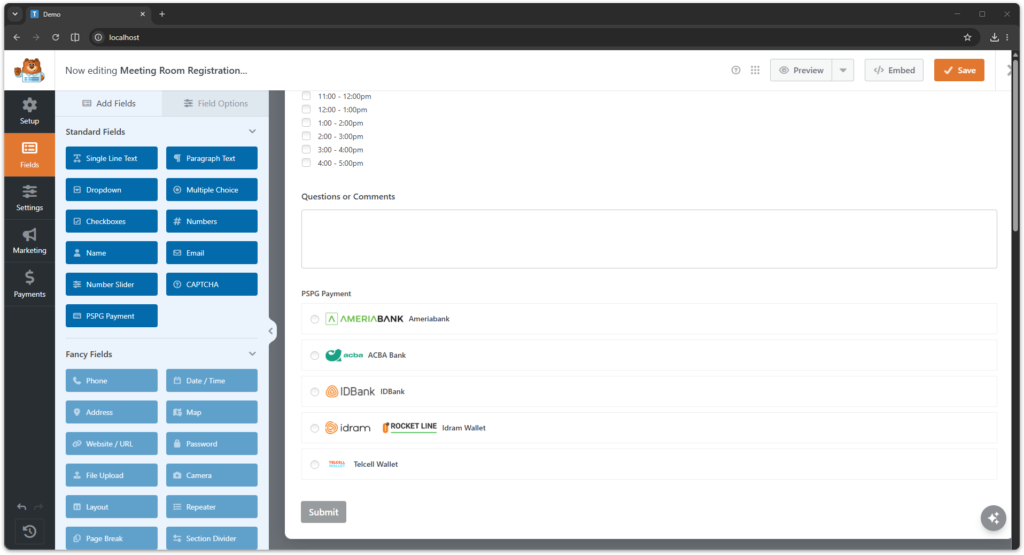
Creating a Payment Form
- Go to:
WPForms → Add New
- Create your form.
- Add the required fields, for example:
- Name
- Amount
- Description
- Enable PlanetStudio Payment Gateway in form settings.
Configuring PSPG Payment
Inside the form builder:
- Open Payments
- Select PlanetStudio Payment Gateway
- Configure the payment options
Typical configuration includes:
| Field | Description |
|---|---|
| Amount field | Field that defines payment amount |
| Currency | Payment currency |
| Banks | Available banks for payment |
| Description | Payment description |
Payment Flow
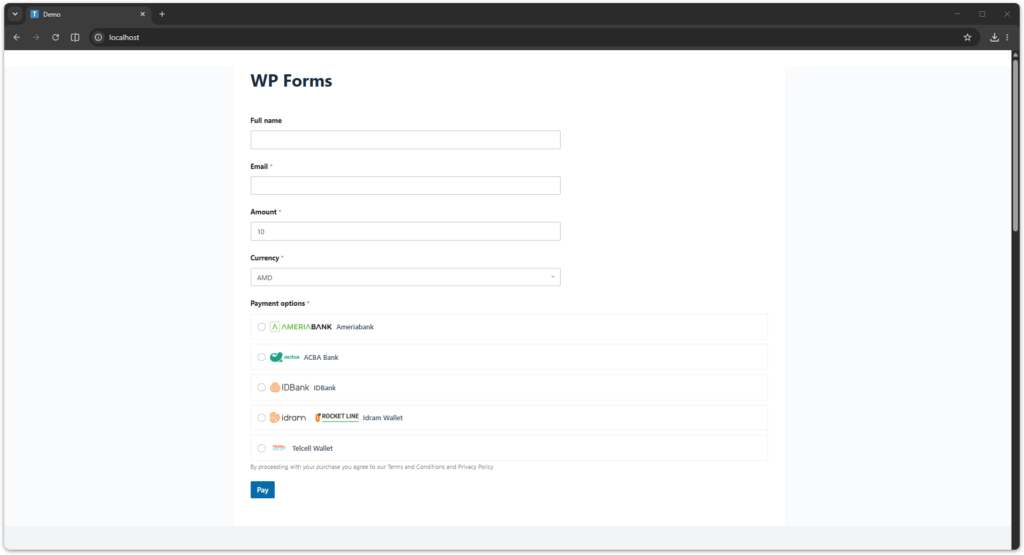
Customer payment process:
- Customer fills the form
- Customer submits the form
- Customer selects a bank
- Customer is redirected to the bank payment page
- Customer completes payment
- Bank redirects back to the website
- Payment status is synchronized with the bank
Form submission and payment are linked through PSPG order tracking.
Supported Banks
PlanetStudio Payment Gateway supports the following banks:
- AMIO Bank
- Ameriabank
- ACBA Bank
- Araratbank
- Armeconombank
- Armswissbank
- Ardshinbank
- Byblos Bank Armenia
- Convers Bank
- Evocabank
- Fast Bank
- Inecobank
- IDBank
- Idram Wallet
- Telcell Wallet
Available banks depend on which banks are enabled in:
WordPress Admin → PSPG → Settings
Multi-Currency Support
WPForms payments support multiple currencies:
- AMD
- USD
- EUR
- RUB
Currency availability depends on bank configuration.
Payment Tracking
All WPForms payments are recorded in PSPG Orders.
You can view them here:
WordPress Admin → PSPG → Orders
Each order includes:
- PSPG order number
- form ID
- payment status
- bank used
- amount
- currency
- API logs
Payment Statuses
Payment status is synchronized automatically with the bank.
| Status | Meaning |
|---|---|
| Pending | Waiting for payment confirmation |
| Paid | Payment successful |
| Failed | Payment failed |
| Canceled | Payment canceled |
Typical Use Cases
WPForms PSPG payments are commonly used for:
- service payments
- booking forms
- consultation payments
- invoice forms
- custom order forms
This integration allows you to accept payments without a full e-commerce system.
Troubleshooting
Payment not completed
Possible reasons:
- customer canceled the payment
- bank declined the transaction
- payment session expired
Payment status not updated
Possible reasons:
- bank callback not received
- incorrect bank credentials
- bank configuration issues
You can manually check payment logs in PSPG Orders.
Need Help?
If you need assistance please contact support:
Support
https://planetstudio.am/support/
Screenshots