
PlanetStudio Payment Gateway
Currency Switcher Add-On
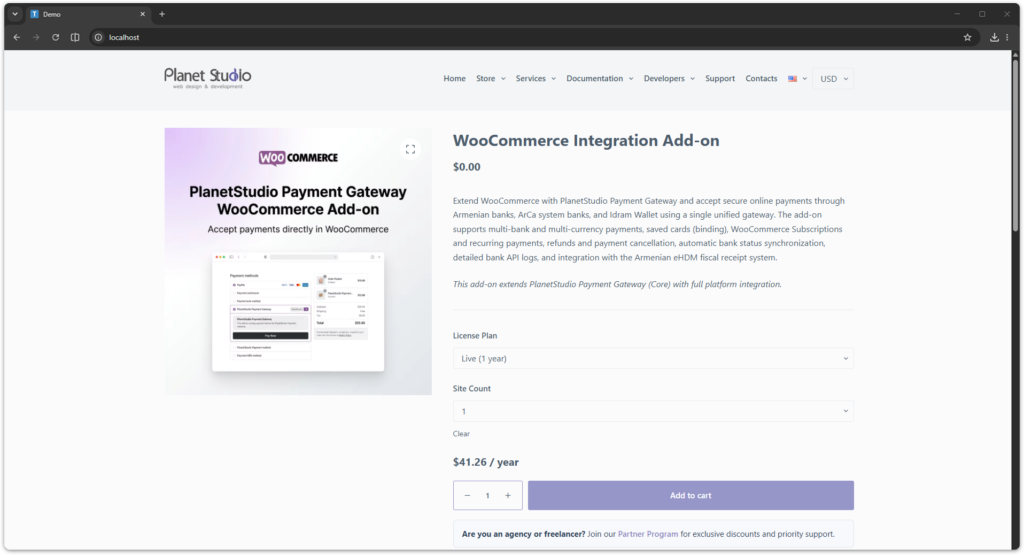
The Currency Switcher Add-on allows you to display prices in different currencies using a simple frontend switcher.
It is designed for stores that want to show converted prices for customers while keeping the actual WooCommerce checkout currency unchanged.
Requirements
Before using Currency Switcher you must install:
- PlanetStudio Payment Gateway (Core)
- PlanetStudio Currency Switcher Add-on
Required plugins:
PlanetStudio Payment Gateway
PlanetStudio Currency Switcher Add-on
Installation
- Install and activate:
PlanetStudio Payment Gateway
PlanetStudio Currency Switcher Add-on
- Activate the add-on license:
WordPress Admin → PSPG → Add-ons
- Open the currency settings page:
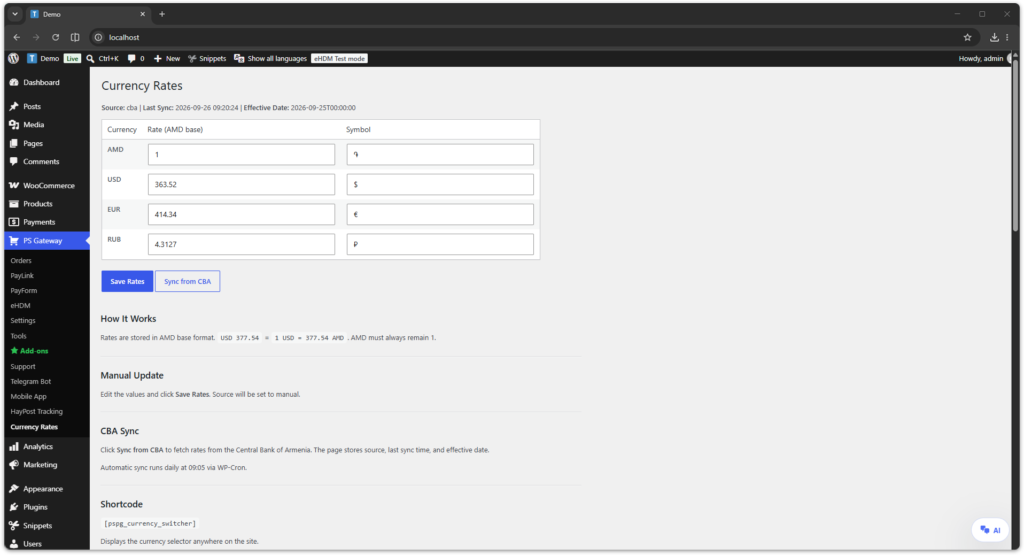
WordPress Admin → PSPG → Currency Rates
Configuring Currency Rates
You can manage currency rates manually in:
WordPress Admin → PSPG → Currency Rates
Supported currencies:
- AMD
- USD
- EUR
- RUB
Each currency includes:
- rate
- symbol
Saving Rates Manually
To save rates manually:
- Open PSPG → Currency Rates
- Edit the rate values
- Click Save Rates
Manual save sets the source to manual.
Sync from Central Bank of Armenia
The add-on can sync rates directly from the Central Bank of Armenia.
To sync rates:
- Open PSPG → Currency Rates
- Click Sync from CBA
After sync, the page shows:
- source
- last sync time
- effective date
The add-on also supports automatic daily sync via WP-Cron.
Adding the Switcher with Shortcode
You can place the currency switcher anywhere using shortcode:
[pspg_currency_switcher]Typical placements:
- pages
- sidebar
- header blocks
- custom templates
Adding the Switcher to a Menu
You can also place the switcher inside a WordPress menu.
Steps:
- Go to Appearance → Menus
- Add a Custom Link
- Use this URL:
#pspg-currency-switcher
- Save the menu
The add-on will automatically replace that menu item with the currency switcher.
How It Works
The selected currency is stored in a browser cookie and used to display converted prices on the frontend.
This is a display-only currency switcher.
It changes the displayed price, but does not change the actual WooCommerce checkout currency.
Supported Use Case
The add-on is designed for stores that want to:
- show prices in multiple currencies
- keep WooCommerce checkout in the base currency
- let customers view approximate converted prices
Troubleshooting
Rates not updated
Possible reasons:
- no connection to CBA API
- WP-Cron not running
- manual values were saved after sync
Switcher not visible
Check that:
- the add-on license is active
- the shortcode is added correctly
- the menu placeholder URL is exactly
#pspg-currency-switcher
Need Help?
If you need assistance please contact support:
Support
https://planetstudio.am/support/
Screenshots