
PlanetStudio Payment Gateway (PSPG)
PlanetStudio Payment Gateway (PSPG) is a modular WordPress payment gateway plugin that allows websites to accept secure vPOS payments through Armenian banks, ArCa system banks, and payment wallets.
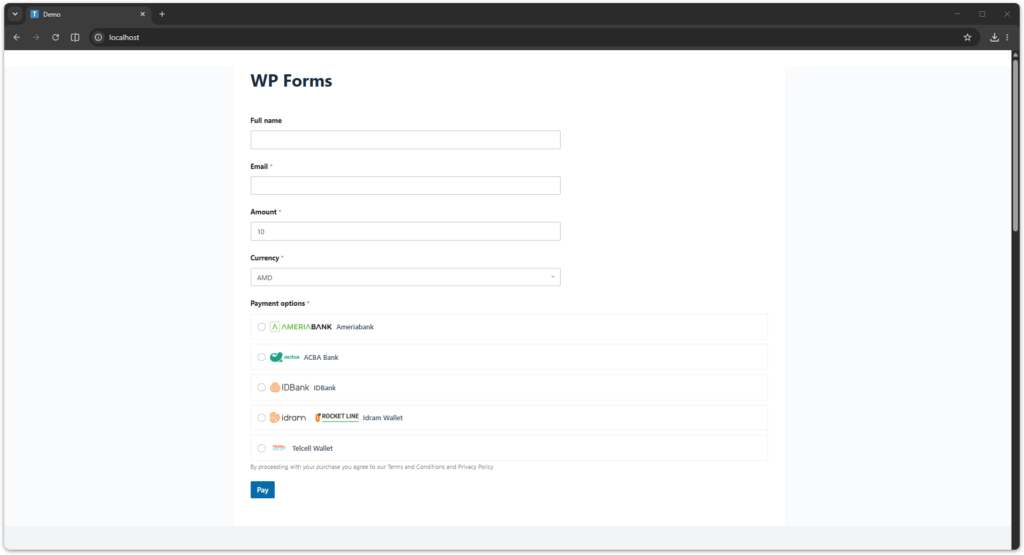
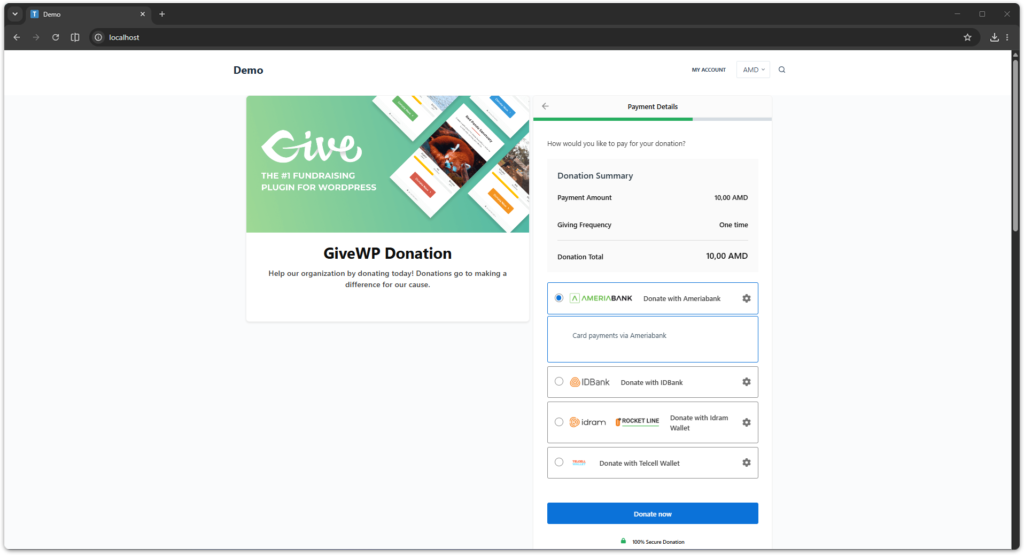
PSPG provides a unified integration layer for multiple Armenian banks and payment systems while supporting platforms such as WooCommerce, GiveWP, WPForms, and standalone payment pages.
Table of Contents
Key Features
PlanetStudio Payment Gateway includes the following core features:
- multi-bank payment gateway
- unified bank API integration
- payment status synchronization
- payment logging and diagnostics
- multi-currency support
- modular add-on architecture
- PayLink and QR payments built into the core plugin
Telegram notifications for successful payments
PSPG Architecture
PSPG uses a modular architecture that separates payment logic from platform integrations.
Main components:
| Component | Description |
|---|---|
| PSPG Core | Main payment engine |
| Banks | Individual bank integrations |
| Add-ons | Platform integrations (Woo, GiveWP, etc.) |
| PayLink | Built-in payment links and QR payments |
| Telegram Bot | Built-in payment notifications and payment monitoring in Telegram |
This architecture allows PSPG to support multiple platforms while using the same bank integration layer for Armenian bank vPOS payments.
Supported Banks
PlanetStudio Payment Gateway supports major Armenian banks, including banks connected through the ArCa payment system, as well as local payment wallets.
- AMIO Bank
- Ameriabank
- ACBA Bank
- Araratbank
- Armeconombank
- Armswissbank
- Ardshinbank
- Byblos Bank Armenia
- Convers Bank
- Evocabank
- Fast Bank
- Inecobank
- IDBank
- Idram Wallet
- Telcell Wallet
Available banks depend on which banks are enabled in:
WordPress Admin → PS Gateway → Settings
Multi-Currency Support
PSPG supports multiple currencies depending on bank capabilities.
Supported currencies:
- AMD
- USD
- EUR
- RUB
Currency availability depends on bank configuration.
PSPG Add-ons
PSPG uses a modular add-on system to integrate with different platforms.
Available add-ons:
| Add-on | Description |
|---|---|
| WooCommerce | Accept payments in WooCommerce stores |
| GiveWP | Accept donations through GiveWP |
| WPForms | Accept payments in custom forms |
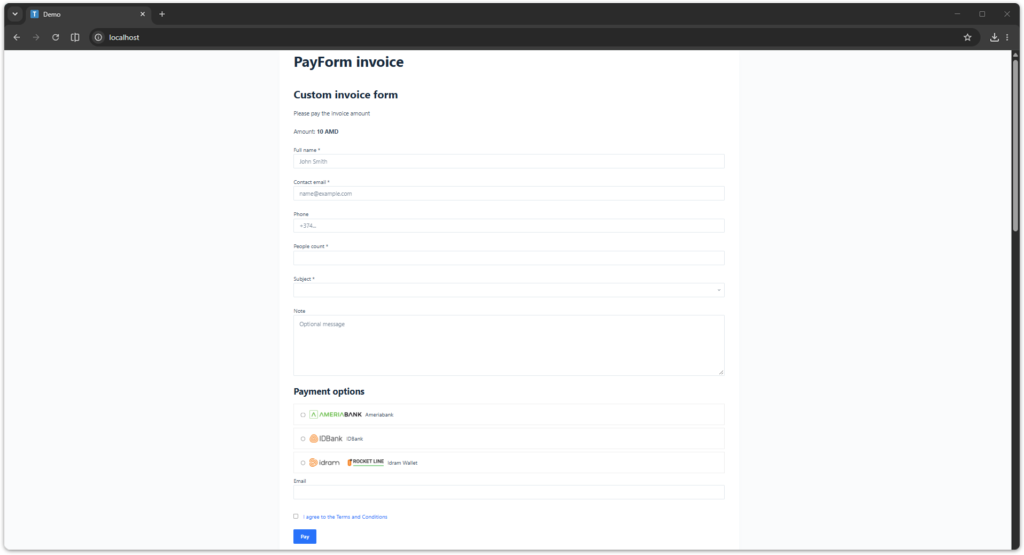
| PayForm | Custom PSPG payment forms |
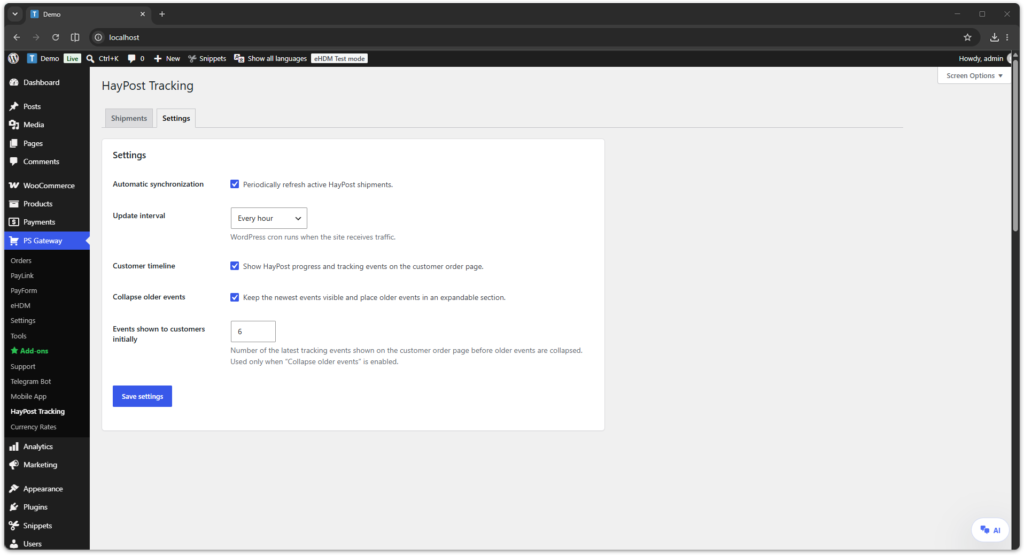
| HayPost Tracking | Automatically synchronize HayPost shipment events and display tracking progress on WooCommerce customer order pages |
Add-ons can be installed and activated separately.
PayLink & QR Payments
PayLink is a built-in PSPG feature that allows you to create payment links and QR codes without using WooCommerce or form builders.
PayLink is useful for:
- sending payment links to customers
- invoice payments
- QR payments
- service payments
PayLink is available directly in PSPG Core.
Payment Flow
PSPG uses a secure bank redirect payment flow.
Payment process:
- Customer selects a payment method
- Customer is redirected to the bank payment page
- Customer completes the payment
- Bank redirects back to the website
- PSPG verifies the payment status with the bank
- Payment status is updated in the system
This ensures that payment status is verified directly with the bank.
Telegram Bot Notifications
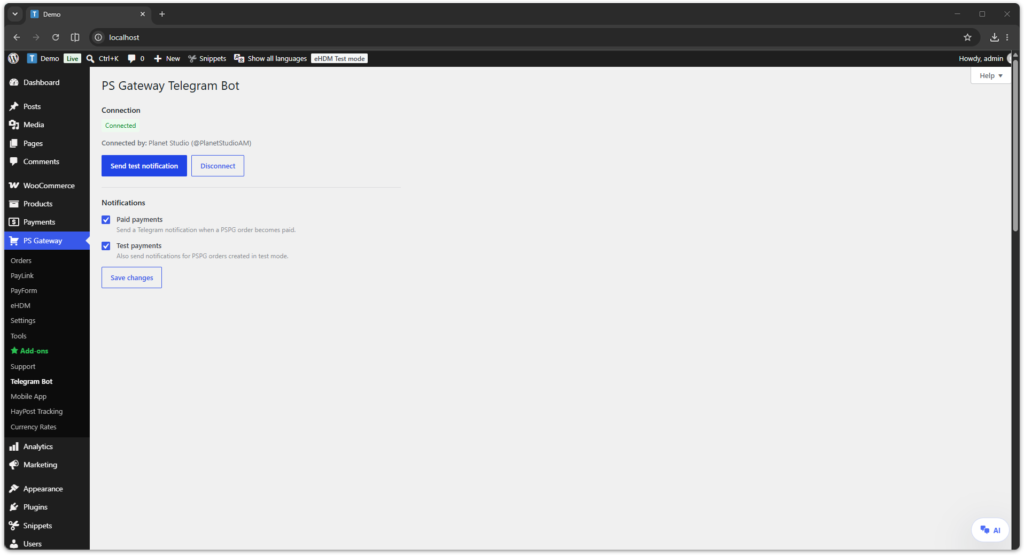
PS Gateway includes a built-in Telegram Bot integration that sends successful payment notifications directly to Telegram.
Telegram Bot features include:
- payment notifications from WooCommerce and PayLink
- website, amount, currency, source, order number, and bank information
- optional notifications for test payments
- multiple websites connected to one Telegram account
- recent payment notifications available inside the bot
- a test notification for verifying the connection
The integration connects to the official PS Gateway Telegram Bot. No Bot token, Chat ID, or Telegram Premium account is required.
Configure Telegram notifications in:
WordPress Admin → PS Gateway → Telegram BotFor connection instructions and detailed documentation, see PS Gateway Telegram Bot.
HayPost Tracking Add-on
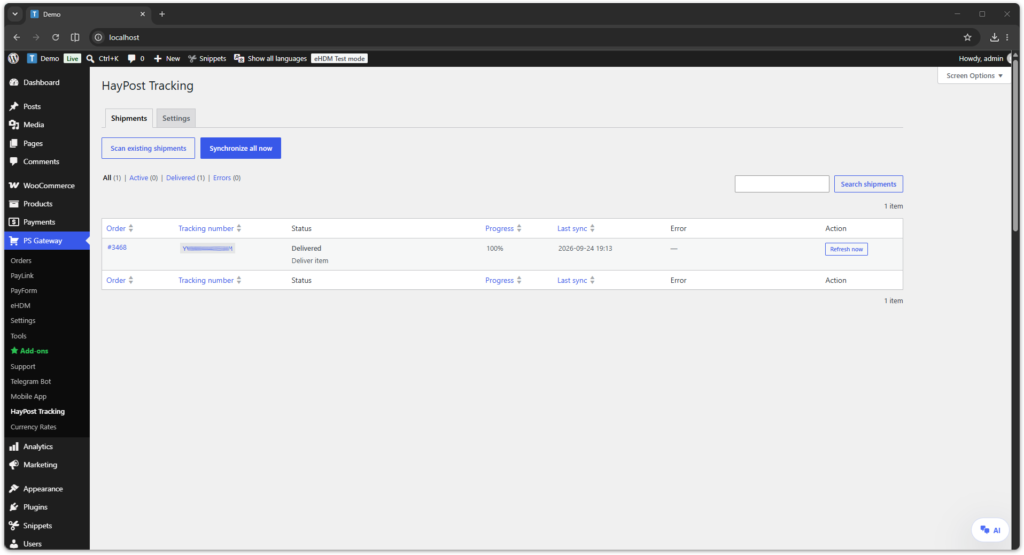
The HayPost Tracking Add-on adds automatic HayPost shipment tracking to WooCommerce orders.
It uses the tracking number saved in a WooCommerce fulfillment, synchronizes shipment events in the background, and displays a visual tracking timeline directly on the customer’s order page.
Key features include:
- automatic shipment synchronization
- visual delivery progress
- customer tracking timeline
- shipment management in WordPress admin
- manual and scheduled synchronization
- direct link to the shipment on the HayPost website
WooCommerce, PlanetStudio Payment Gateway Core, and an active HayPost add-on token are required.
View HayPost Tracking documentation
PSPG Orders Dashboard
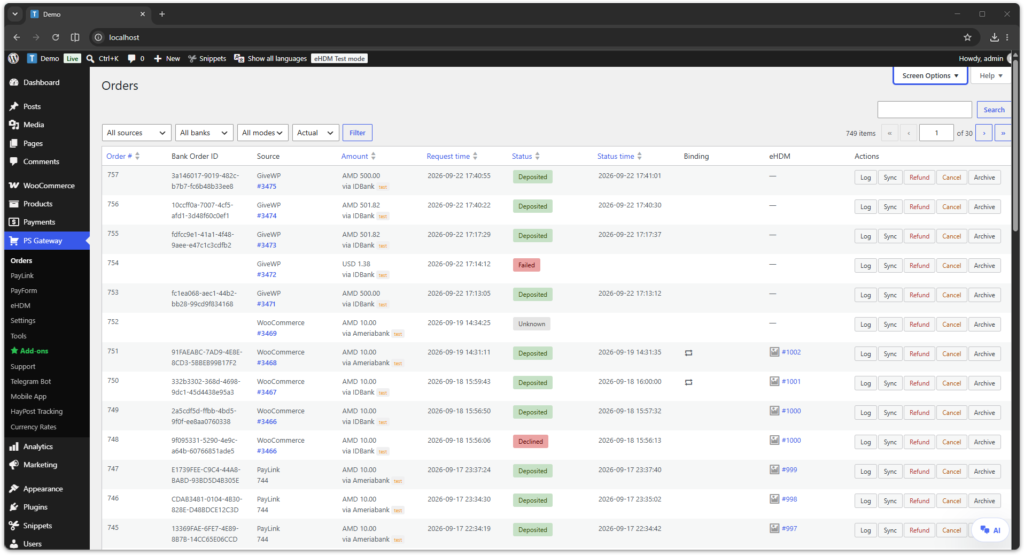
PSPG includes a built-in orders dashboard that allows administrators to monitor all payment activity across supported platforms.
The orders table displays:
- PSPG order ID
- bank order ID
- payment source (WooCommerce, GiveWP, WPForms, PayLink, PayForm)
- payment amount and currency
- request time
- payment status
- status update time
- binding status
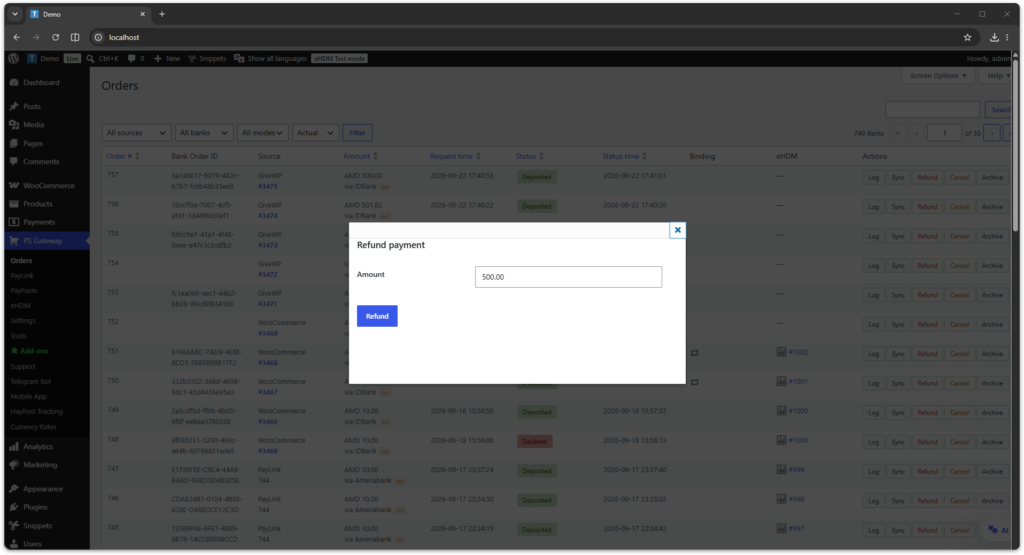
Available actions:
- view payment logs
- synchronize payment status
- refund payments
- cancel payments
This dashboard gives administrators a single place to manage payment activity across all PSPG integrations.
Payment Status System
PSPG uses a normalized payment status system to display the current payment state across different banks and integrations.
Common statuses include:
- Registered — payment was created and is waiting for completion
- Deposited — payment was successfully completed
- Declined — payment was rejected by the bank
- Canceled — payment was canceled or voided
- Refunded — payment was refunded
This status model helps administrators quickly understand the payment lifecycle regardless of the specific bank.
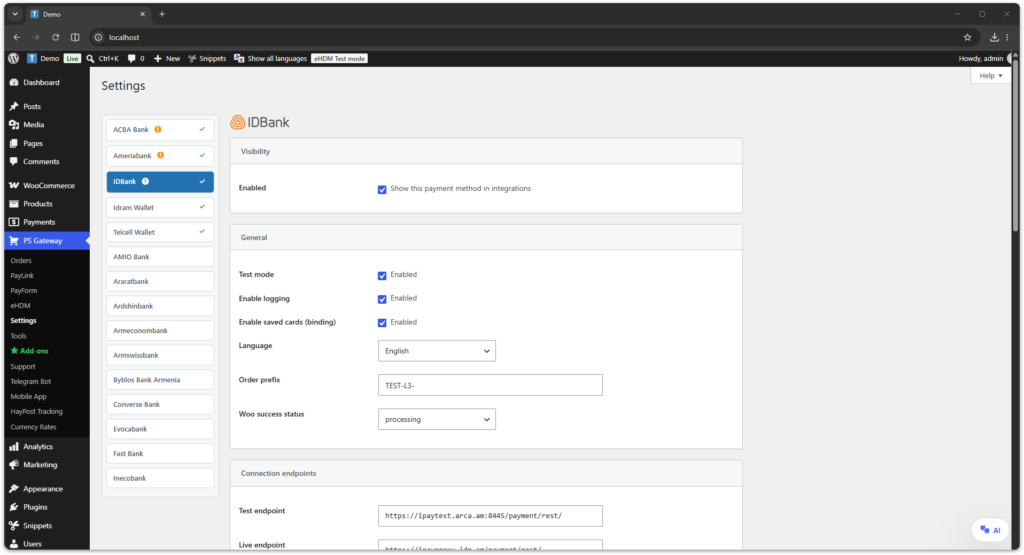
Bank Configuration
Each bank integration can be configured individually inside the PSPG settings panel.
- enable or disable the payment method
- test mode
- enable logging
- currency-specific API usernames and passwords
- bank API endpoints
- binding payments configuration
- payment method title and description
- custom payment icon
- WooCommerce success status
This allows PSPG to work with different bank merchant accounts, currencies, and deployment environments.
Saved Cards (Binding)
PSPG supports saved card payments for banks that support binding.
Binding features include:
- secure saved card payments
- binding-specific credentials
- reuse of saved payment methods in supported integrations
- support for recurring and automated payment scenarios
Binding availability depends on the selected bank and merchant configuration.
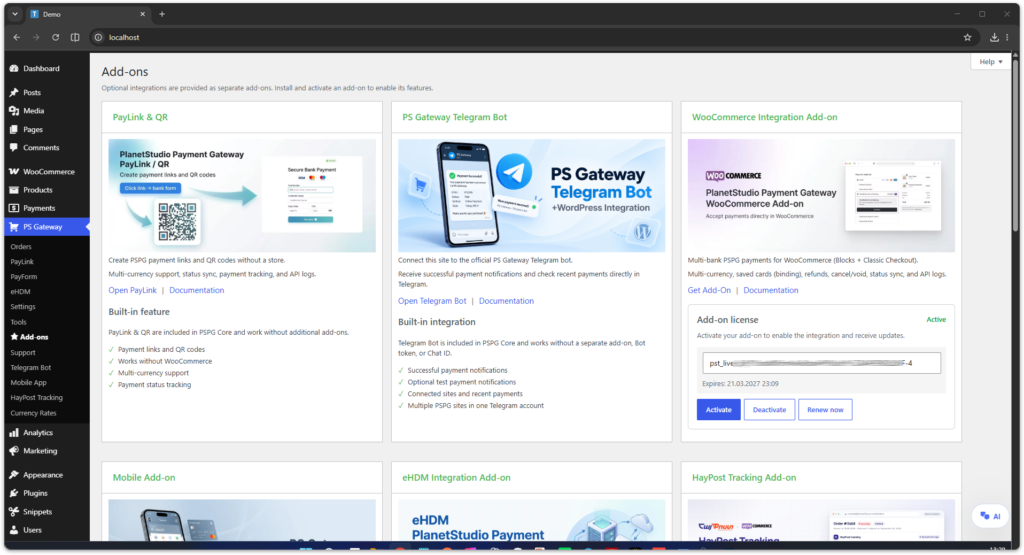
Add-ons Page
The built-in Add-ons page provides a centralized overview of all available PSPG integrations.
- PayLink & QR built-in feature
- WooCommerce Integration Add-on
- GiveWP Integration Add-on
- WPForms Integration Add-on
- PayForm Integration Add-on
HayPost Tracking Add-on
From this page administrators can:
- open product documentation
- activate add-on licenses
- deactivate add-ons
- renew add-on licenses
PayLink Manager
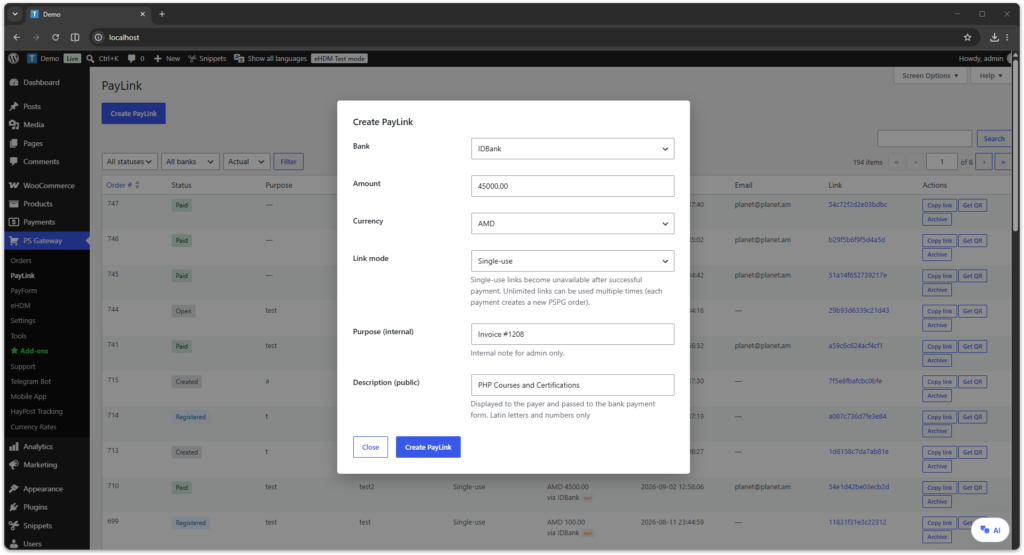
PSPG includes a built-in PayLink manager for creating and managing payment links.
Each PayLink can be configured with:
- selected bank
- payment amount
- currency
- single-use or unlimited link mode
- internal purpose note
- public description
PayLinks can be copied and shared directly with customers, and QR codes can be generated for mobile payments.
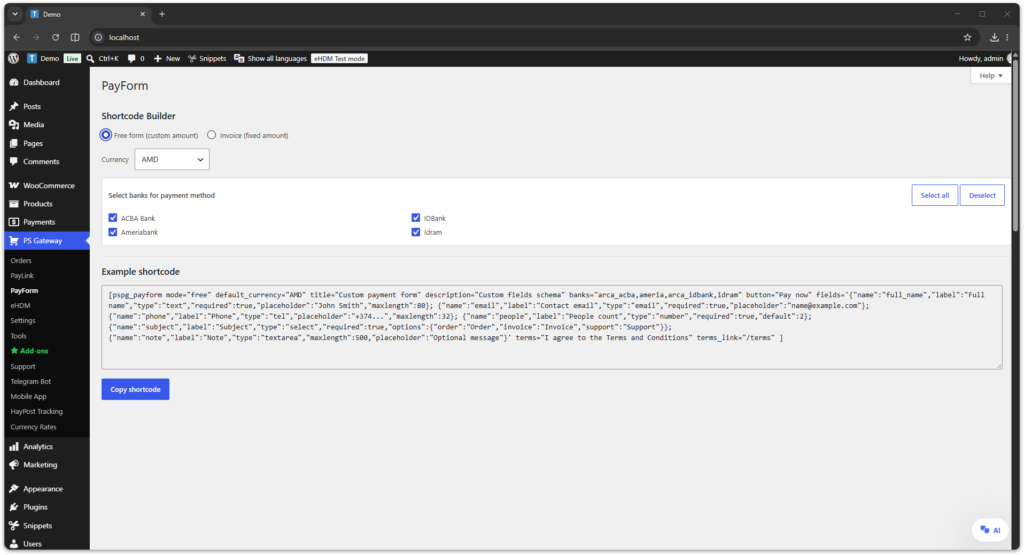
PayForm Builder
PSPG includes a built-in PayForm shortcode builder for generating custom payment forms.
Administrators can create forms with:
- free amount mode
- fixed invoice amount mode
- custom currencies
- multiple selectable banks
- custom fields schema
- terms and conditions support
The builder generates a shortcode that can be embedded into WordPress pages.
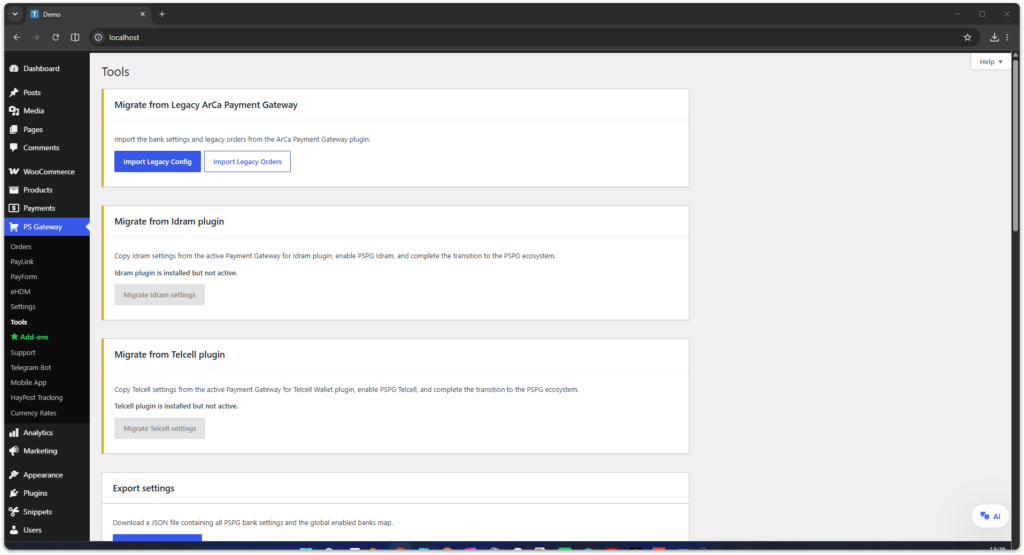
PSPG Tools
PSPG includes administrative tools that simplify maintenance and migration.
- Legacy ArCa Payment Gateway migration
- export PSPG configuration
- import PSPG configuration
- admin UI mode settings
- Cloudflare Turnstile bot protection settings
- reset PSPG settings
- clear PSPG orders log
Legacy Migration
PSPG includes a migration tool for websites that previously used the legacy ArCa Payment Gateway plugin.
The migration tool can import:
- legacy bank settings
- merchant credentials
- legacy order records
This allows websites to transition to PSPG without losing important historical payment data.
Settings Export & Import
PSPG allows administrators to export and import bank configuration settings.
- export all PSPG settings as a JSON file
- import settings from a previously exported JSON file
This is useful for moving PSPG between development, test, and live environments.
Admin UI Mode
PSPG provides an advanced admin UI mode that allows administrators to view additional configuration fields.
This setting only affects the admin interface and does not change payment processing behavior.
Cloudflare Turnstile Bot Protection
PSPG can use Cloudflare Turnstile to reduce automated checkout abuse and card-testing attempts for PSPG payment methods in WooCommerce checkout.
When enabled, Turnstile verification is performed before PSPG registers the payment at the bank. This helps block automated attempts before a bank payment session is created.
Bot protection is optional and disabled by default. It can be configured from PS Gateway → Tools → Bot protection.
To configure Turnstile:
- Open your Cloudflare dashboard and create a Turnstile widget.
- Add your website domain to the Turnstile widget configuration.
- Copy the Turnstile Site key and Secret key.
- In WordPress admin, open PS Gateway → Tools → Bot protection.
- Enable bot protection.
- Enable WooCommerce checkout protection for PSPG payment methods.
- Paste the Site key and Secret key.
- Choose the Turnstile theme: Light, Dark, or Auto.
- Save the settings and test checkout with a PSPG payment method.
Turnstile protection applies only to PSPG payment methods in WooCommerce checkout. It does not affect other payment methods and does not send card data to Cloudflare.
During verification, PSPG sends the Turnstile response token, the configured secret key, and the customer IP address when available to Cloudflare for validation.
Payment Logs
PSPG records all bank communication.
Logs can be viewed in:
WordPress Admin → PS Gateway → Orders
Logs include:
- bank API requests
- bank API responses
- payment status changes
- diagnostic and troubleshooting information
These logs help troubleshoot payment issues.
Bank API Log Viewer
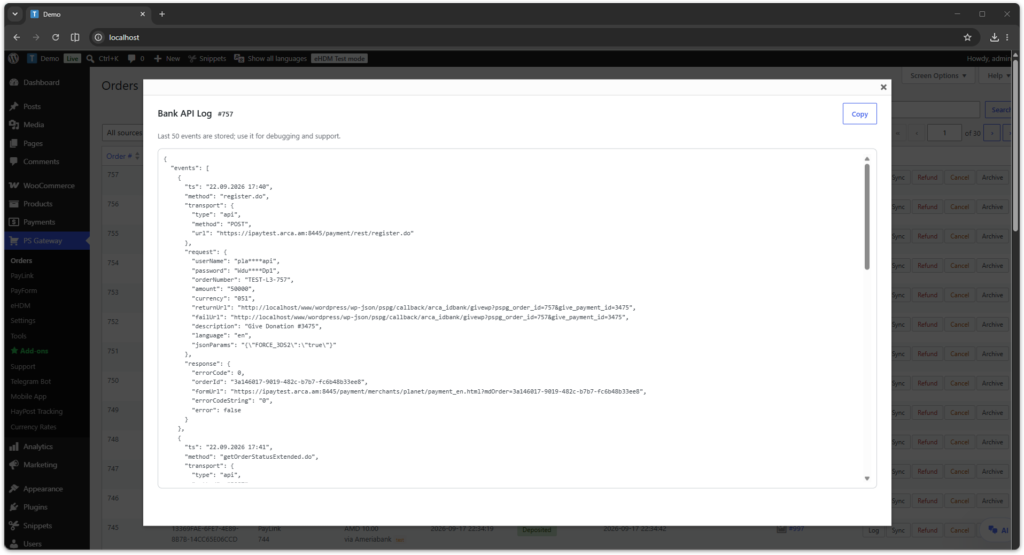
PSPG includes a built-in log viewer that allows administrators to inspect payment events directly from the orders dashboard.
The log viewer can display:
- bank registration requests
- status synchronization requests
- refund and cancel operations
- callback and redirect-related events
- stored API responses for support and debugging
This makes it easier to troubleshoot payment issues without leaving the WordPress admin panel.
Security
PSPG follows secure payment processing practices used by modern WordPress payment gateway plugins:
- payments are processed on bank pages
- payment status is verified via bank APIs
- sensitive card data is never stored on the website
- optional Cloudflare Turnstile verification can be enabled for PSPG WooCommerce checkout
All payment confirmations are validated directly with the bank.
When to Use PSPG
PSPG can be used for many types of WordPress payment systems:
- e-commerce stores
- donation websites
- service payments
- payment links
- custom payment forms
The modular architecture allows PSPG to adapt to different website types.
Need Help?
If you need assistance please contact support:
Support
https://planetstudio.am/support/
Plugin Screenshots
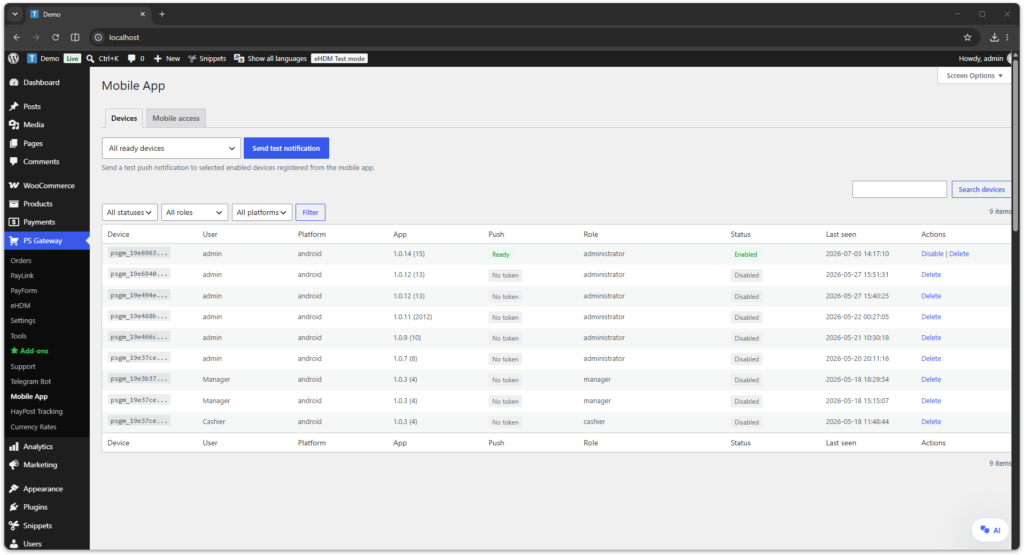
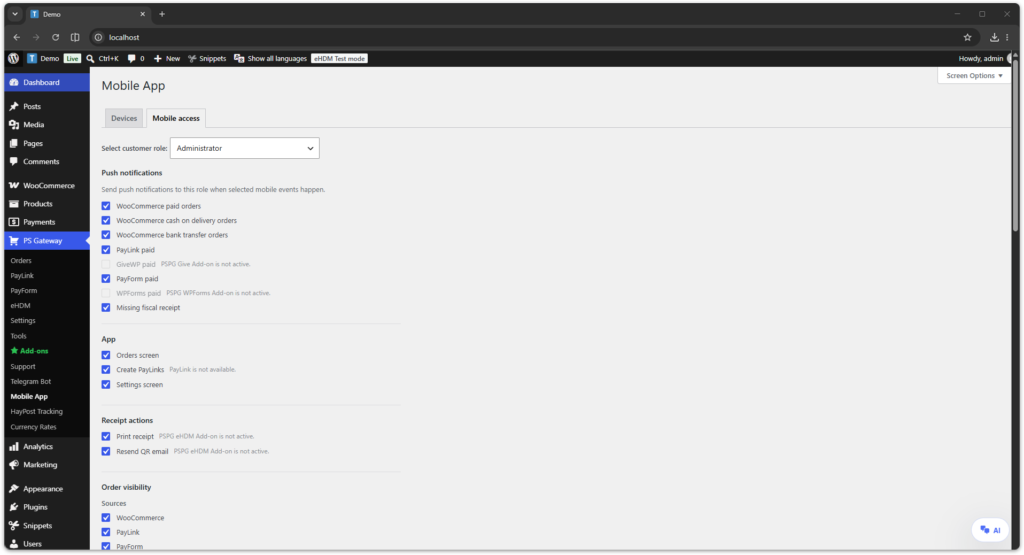
The following screenshots demonstrate the main PSPG interface components available in the WordPress admin panel.